Understand RED RAW and R3D files, how grading and proxies work, and what businesses should know when commissioning RAW video production.
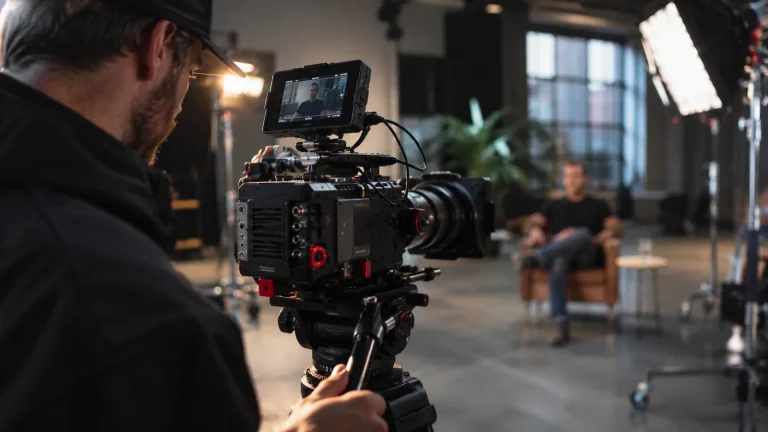
Filming is only half the story. The way footage is recorded determines how an editor can work with it later, how much data a production needs to store and how much flexibility there is when creating the final colour grade. That’s why you often hear RED camera users talking about REDCODE RAW and R3D files.
You don’t need to become a colourist to commission a successful brand film, but understanding the basics helps explain why some productions take longer to edit—and why that extra flexibility can be valuable.
What does RED RAW mean?
RAW capture records data from the camera sensor in a form designed for interpretation during post-production. RED’s proprietary family of compressed RAW recording formats is known as REDCODE RAW, and RED camera originals commonly use the .R3D file extension.
Think of RAW as a flexible starting point rather than a finished visual treatment. The camera records the scene with substantial adjustment possibilities, and the post-production team uses colour management, exposure decisions and creative grading to shape a consistent result.
This is different from handing over a small, heavily processed video file that has already had much of its look determined in-camera. It doesn’t mean RAW is magic or that any badly exposed shot can be repaired.
Is RAW the same as LOG footage?
Not exactly. LOG generally describes a way of encoding a broad tonal range within a recorded video signal, often before colour grading. RAW describes sensor-derived image data and a workflow in which key image interpretation choices remain available later.
Both RAW and LOG can be used professionally, but their handling, flexibility and computing demands differ. Saying a clip is ‘flat’ or low-contrast doesn’t prove that it was recorded in RAW.
What is an R3D file?
An R3D file is the common RED RAW media format used with RED camera workflows. Editors and colourists may open it in compatible applications, interpret the recorded material, apply a colour pipeline and export a final video in a standard delivery codec.
RED documentation identifies support for workflows involving tools such as DaVinci Resolve, Adobe Premiere Pro, Avid and other professional systems, while also warning that compatibility can depend on application and camera versions. A post-production team should check its software and hardware before the shoot rather than discovering an incompatibility after receiving the cards.
Why is REDCODE compressed?
Uncompressed sensor data can be very large. REDCODE RAW uses compression to make professional RAW recording practical while retaining a flexible post-production workflow. RED cameras offer different recording quality settings depending on the model and selected mode; users may see options such as HQ, MQ, LQ and sometimes ELQ.
These are not interchangeable across every RED camera and frame rate. The right setting balances image requirements, media capacity and data-transfer speed. Higher-quality or higher-frame-rate capture can create significantly more data, which affects storage and finishing cost.
How does the RAW workflow work from shoot to delivery?
1. Plan the look and deliverables. Decide whether the final film will be cinematic, naturalistic, vibrant or closely matched to a brand identity. Confirm formats: widescreen website video, vertical social clips, subtitles and any broadcast-specific requirements.
2. Capture consistently. Set a sensible white balance, exposure approach and monitoring look. RAW provides choices, but well-exposed, intentionally lit footage creates the best foundation.
3. Back up camera media. Copy and verify the footage before cards are erased. Productions should have a clear chain of responsibility for originals and backups.
4. Edit efficiently. Depending on the workstation and volume of data, an editor may cut directly with the camera originals or create smaller proxy files for responsive playback.
5. Colour manage and grade. Use a consistent colour-management pipeline, such as RED’s IPP2 approach, to transform and grade shots so the final film feels coherent.
6. Export for each platform. The RED RAW originals are not usually what a business uploads to its website. The final deliveries are encoded in agreed playback formats and resolutions.
Does RED RAW make colours more accurate?
It can help a skilled colourist interpret and match captured information, but accuracy still depends on the lighting, reference, camera settings, monitoring and grading decisions. Two people can apply very different looks to the same RAW material. That is useful for creative control, not a guarantee of a specific appearance.
For a brand campaign, this flexibility is valuable when matching skin tones, product colours and a consistent palette across different locations. Product colour should still be checked against real-world references where accuracy is critical.
What are the downsides of shooting RED RAW?
The biggest trade-offs are data volume and workflow complexity. More media can mean extra copying time, storage drives, backups and editing hardware. The colour grade also takes real work; RAW is not a shortcut to a polished finish.
That doesn’t mean RED RAW is inefficient. On the right brief, recording flexibility can prevent problems and support a more ambitious final treatment. The important thing is to budget for it from the start.
Do clients receive R3D originals?
Not automatically. A professional video agreement typically specifies finished films, aspect ratios and agreed revisions. Camera originals, edit project files and ongoing archive storage should be addressed separately. Ask about ownership, licensing, delivery of raw media and retention periods before commissioning the shoot.
Technical sources: RED V-RAPTOR XL workflow documentation; RED KOMODO specifications.