Learn the best Instagram Reel dimensions for business videos, including 9:16 framing, 1080 x 1920 exports, caption placement and filming tips.
There’s nothing more frustrating than spending money on a well-filmed video and discovering that Instagram has cropped someone’s face, covered your captions with its buttons or made the finished Reel look softer than the original.
Most of those problems can be avoided before the shoot. The recommended starting point for Instagram Reels is a vertical 9:16 video, usually exported at 1080 × 1920 pixels. But dimensions are only one part of the job. The way a Reel is framed, edited and previewed can make a much bigger difference to whether it is comfortable to watch.
This guide explains the main Instagram Reel dimensions, how to frame content correctly, what to tell your videographer, and how to prepare social edits that still look good when Instagram crops the preview.
What are the dimensions of an Instagram Reel?
For a full-screen vertical Reel, we recommend the following working specification:
| Setting | Recommended starting point |
|---|---|
| Aspect ratio | 9:16, vertical |
| Common export size | 1080 × 1920 pixels |
| File type | MP4 is a sensible default; MOV is also used |
| Video codec | H.264 for broad compatibility |
| Frame rate | A consistent frame rate suited to the footage, often 30 fps |
| Audio | Clear, properly mixed sound; AAC is widely compatible |
| Text and subtitles | Keep away from interface areas and test on a phone |
Instagram may accept other aspect ratios and upload methods have different technical limits. For most businesses commissioning dedicated Reels, however, 9:16 remains the easiest shape to work with because it fills the portrait screen.
A useful distinction: 1080 × 1920 describes the video frame. It doesn’t guarantee that every part of the frame will remain visible in a profile-grid thumbnail or when Instagram adds its interface.
Why 9:16 matters more than just ‘making it vertical’
A vertical video is not the same thing as a landscape video cropped at the last minute. If the main subject is standing at one edge of a wide frame, a vertical crop might remove the important action entirely.
This is why we plan the final formats before filming. For a business that needs a website film and social clips, there are several sensible options:
- Film the main video in landscape, but leave enough space for a safe vertical crop where practical.
- Capture separate vertical shots of the key moments or product details.
- Use two cameras or different angles when the brief justifies it.
- Treat the social versions as their own edits, not simply smaller versions of the website film.
The right approach depends on budget, access, the type of action and how important each platform is to the campaign.
Reels, Stories and feed previews: what changes?
A Reel is usually watched full-screen in portrait, but people can discover it through the feed and your profile. Those different placements can crop the cover or display surrounding interface elements in different ways.
Full-screen Reel: design the action for 9:16. A person speaking to camera can be framed more tightly than in a corporate interview, but leave comfortable headroom and breathing space for captions.
Profile-grid cover: the cover may be cropped in the grid. Keep the face, product or central visual comfortably inside the middle of the image. Don’t place an essential word in a corner and assume everyone will see it.
Feed preview: test the cover and the opening seconds, particularly if the subject moves around the frame. The safest solution is often a strong central subject and minimal on-screen clutter.
The platform’s layouts can change. A final phone preview is more useful than relying on a diagram of permanent ‘safe zones’.
How to keep captions and logos in the right place
Subtitles are important, especially when people watch without sound, but they’re easy to position badly. The bottom and right of a Reel often contain captions, actions and profile information added by Instagram.
For business videos, we normally recommend putting important subtitles and calls to action in the central part of the frame rather than against the bottom edge. Leave space around faces, products and any necessary text.
Avoid filling the screen with both subtitles and graphics. If the speaker is delivering a useful answer, the viewer should be able to follow it without reading four different elements at once.
For paid advertising, check the current Meta Ads Guide for the specific placement. Organic Reels and Reels ads can have different requirements, particularly around text, overlays and call-to-action buttons.
How long should an Instagram Reel be?
There’s no magic number that makes a Reel perform. A 20-second answer can be useful. A two-minute demonstration can be useful too. The right length depends on the question, the audience and what the viewer needs to understand.
At the time of writing, Instagram permits longer Reels through some workflows, but length limits and recommendation behaviour can differ by upload method. Those platform rules change. Don’t build your content strategy around an assumed universal maximum length. Check Instagram’s current creator guidance at the point of upload.
The more important editorial question is: does the video earn the next few seconds? A simple format can help:
- Open with the actual question or problem rather than a long logo animation.
- Make the main point quickly and support it with useful footage.
- Show the detail the audience came to see.
- End when the information is complete, with a clear next step if appropriate.
A brand should not be afraid of a longer Reel when the subject genuinely needs it. But more seconds only help when they add value.
Recording Reels: phone footage or professional production?
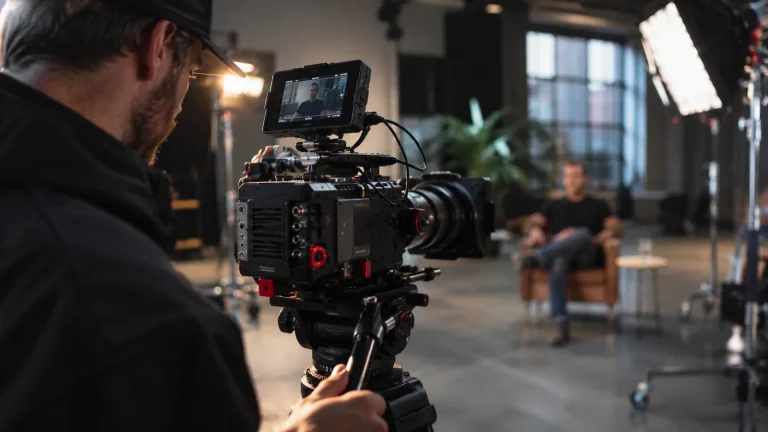
Both have a place. A genuine behind-the-scenes update might be better filmed quickly on a phone. A product demonstration, recruitment film or launch campaign may benefit from a planned shoot, lighting, controlled audio and multiple edits.
We usually start with what the content needs to achieve rather than what camera should be used. A polished corporate Reel can still feel natural; a phone video can still be poorly planned.
If your business uses both styles, it’s worth deciding which topics deserve a proper production and which are better handled by the team day to day. That balance is often more sustainable than trying to turn every update into an advertisement.
A practical Reel shot list for a business filming day
If you’re booking one filming day for several social videos, think beyond a person delivering five scripts to camera. A useful shortlist might include:
- A clean vertical talking-head setup for short explanations.
- Close-up detail of the product or service being discussed.
- A wide shot that establishes the workplace, showroom or venue.
- Short sequences of staff carrying out real tasks.
- A demonstration showing a clear beginning, middle and end.
- Supporting footage that can sit beneath different answers.
- A few suitable cover-frame moments with the subject in the centre.
- Natural sound and room tone where relevant.
Ask the editor to agree the intended outputs in advance: how many distinct videos, which aspect ratios, captions, covers, revision rounds and export formats. This avoids the common problem of discovering after the shoot that the essential vertical footage was never captured.
Five mistakes that make business Reels look less professional
1. Cropping a wide interview without checking the frame
The speaker moves, gestures or leans out of shot. The edit ends up following their face awkwardly or cropping out part of a product. Plan vertical framing at the shoot.
2. Putting the captions at the very bottom
Instagram’s interface can cover them. Review the edit as it will appear on a phone, not just on a desktop editing monitor.
3. Trying to show too much at once
Large titles, subtitles, logos, stickers and animated graphics can all compete with the subject. Keep the message and visual hierarchy clear.
4. Starting with a long introduction
A viewer should quickly know what the video is about. Cut unnecessary greetings and branding if they delay the information.
5. Publishing the same cut on every platform without review
A Reel may need a different cover, length, opening or CTA from a LinkedIn or YouTube edit. Repurposing content is useful, but each placement still deserves a check.
What to ask for when commissioning Instagram Reels
A clear brief is more useful than a vague request for ‘some social clips’. Tell the videography team who the content is for, what questions it will answer, where it will appear, and what you need delivered.
For example: Four short vertical videos answering common customer questions, one product walkthrough, subtitles on all five, matching cover images and exports ready for Instagram.
That is a practical scope. It can then be scheduled and quoted properly. If you also want a website hero film or corporate interview, plan those alongside the social formats.
See our social media videography and product videography services for the types of filming we can discuss.