A practical UK guide to live streaming a funeral: venue webcasts, private viewing links, permissions, costs, sound quality and watching from home.
Not everyone who wants to attend a funeral can be there in person. Some relatives may live abroad, others may be unwell, and sometimes the journey simply isn’t possible. A funeral live stream can give those people a way to hear the words, share in the ceremony and say goodbye from wherever they are.
If you’re arranging a funeral and wondering how to stream it, the first step is usually easier than you might think: ask the funeral director whether the venue already offers a private webcast. Many crematoria have a camera and sound system in place. If they don’t, or if the ceremony is taking place somewhere less conventional, there may be other options.
This guide explains how funeral streaming works in the UK, what to organise beforehand and how to make the experience as straightforward and respectful as possible.
What is funeral live streaming?
Funeral live streaming is a video broadcast of a funeral service that friends and family can watch online as it happens. Viewers are normally sent a link or login details and can join from a phone, tablet, laptop or computer.
The stream might show a fixed view of the chapel and the person leading the service, with audio of the readings, eulogies and music. Some arrangements also offer a recording that can be watched afterwards.
A live stream is watched at the time of the service. A recording is a saved video. A webcast usually means much the same as a live stream, particularly when a crematorium or funeral provider uses the term. It’s worth checking exactly what your chosen package includes, because access to a recording is not always permanent.
Three ways to live stream a funeral
1. Use the church or crematorium’s existing webcasting service
For many families, this is the simplest option. The venue may already have a discreet fixed camera, microphones and a private viewing system. Your funeral director can explain whether the service is available, arrange the booking and send the login instructions to the family.
Providers such as Obitus support webcasting at participating venues. Their arrangements can include secure viewer details and temporary on-demand access after the service. Availability, booking deadlines, recording options and charges depend on the venue and package, so ask for these in writing.
Best for: a straightforward ceremony at a venue with an established system, particularly when the family mainly wants people to hear and watch the service clearly.
2. Arrange an independent videographer or streaming team
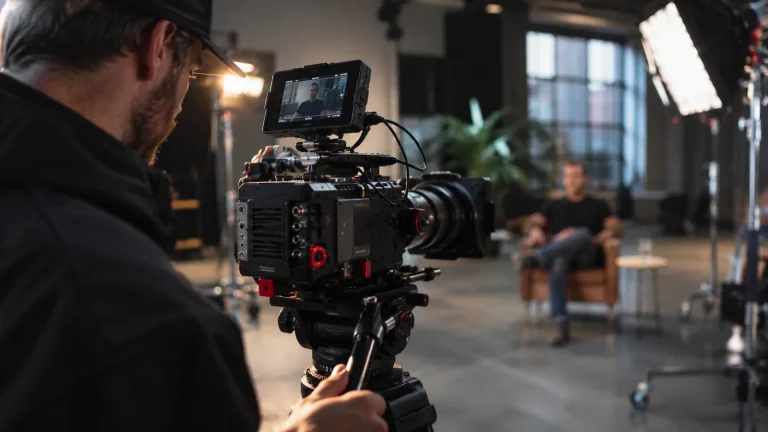
If the funeral is taking place at a village hall, outdoor memorial location, private venue or somewhere without a suitable webcast system, professional support may be worth considering.
An independent team can discuss camera placement, speech audio, the internet connection, recording and secure delivery. But it is essential to check whether the venue allows an outside camera operator or livestreaming setup. Some venues only permit their own system, and a professional team should never assume they can arrive and start filming.
Best for: unusual venues, ceremonies with specific filming requirements or families who want to explore a separate, carefully managed recording. Any live-streaming service and its scope should be confirmed with the provider in advance.
3. Stream the service yourself
A simple phone or laptop setup can work in some circumstances, provided the family and venue agree. A tripod, a microphone positioned close enough to the speaker and a reliable connection will make more difference than fancy visual effects.
The difficulty is that a funeral cannot be paused to fix the sound or restart the internet. Whoever is responsible for the broadcast may also find themselves concentrating on the screen rather than the service. If you choose a do-it-yourself option, give that job to someone who isn’t closely involved in the ceremony and run a proper test beforehand.
Best for: small, informal ceremonies where the venue permits it and someone can manage the equipment without disrupting the occasion.
How to arrange a funeral live stream: step by step
Step 1: Speak to the funeral director
Tell them that people will be watching remotely and ask whether the funeral location offers webcasting. Establish who books it, whether there is a fee, whether the service is recorded and how the viewing details will be shared.
If a webcast is included in a funeral package, there may be no reason to commission a separate provider. If it isn’t available, ask about the venue’s policy on independent filming.
Step 2: Confirm permission with the venue and person leading the service
Churches, crematoria and other venues can set conditions on filming, equipment and the parts of the ceremony that may be shown. For a Church of England service, the relevant minister’s permission is important; the church can restrict camera positions and other arrangements.
Also check whether readers, musicians and other contributors are comfortable having their contributions recorded or streamed. Make sure guests understand that a camera may be operating and that any privacy concerns can be raised beforehand.
Step 3: Decide who needs the viewing link
Choose one family contact to receive the stream details and pass them on privately. Think about relatives overseas, people in hospital or care homes, and anyone who may need help with the technology.
A short message with the date, UK time, viewing link, login details and a contact for technical problems is usually enough. For someone abroad, include their local time zone if you can confirm it.
Avoid posting funeral streaming details on public social media unless the family has specifically decided to make the ceremony public.
Step 4: Check sound, camera position and internet access
Clear audio is often more important than a moving camera. Relatives watching remotely want to hear the eulogy, readings and final words without having to turn the volume up and guess what was said.
If an outside team is involved, ask how they will connect to the venue’s microphones, what internet connection they plan to use and what happens if the connection fails. A mobile signal that seems strong outside a chapel may be unreliable indoors. A backup local recording can preserve the ceremony even if the live feed is interrupted.
For a simpler setup, use a stable tripod, charge all equipment, silence notifications and test the actual viewing page on another device.
Step 5: Test the link before the service
Send viewing instructions early enough for relatives to check their access. Where the provider offers a test stream, use it. Have someone outside the venue log in and confirm they can see and hear the feed.
If viewers need a username and password, encourage them to copy and paste the details rather than typing from memory. Ask them to use a stable home internet connection where possible.
Step 6: Decide what happens to the recording
Before the day, ask whether the ceremony will be saved and, if so, how long people can watch it online. Do not assume a recording will remain available indefinitely or that it can be downloaded automatically.
If the family wants to preserve a copy, check whether a permanent video file or keepsake recording can be ordered, whether there is an additional cost and who may receive it.
Is it legal to live stream a funeral in the UK?
Funeral live streaming is possible in the UK, but there isn’t a blanket right to broadcast a ceremony from any venue. Permission, privacy, safeguarding and copyright all need consideration.
For a church service, start with the minister and church staff. For a crematorium, speak to the funeral director and crematorium team. For a private venue or outdoor ceremony, check the location’s filming conditions and the wishes of the people organising the funeral.
People attending should be told if they may appear in the broadcast. A sensible setup avoids unnecessary close-ups of mourners and can, where practical, keep those who do not wish to appear outside the camera’s view. Extra care is needed when children or vulnerable people might be filmed.
A private family livestream is not the same thing as permission to upload the recording publicly afterwards. Agree who can watch, who controls the link and how long the footage will be kept.
For official guidance, see the Diocese of Oxford’s advice on filming in churches and the Information Commissioner’s Office guidance on live streaming and privacy.
What about hymns, recorded songs and music copyright?
Music that can be played in a chapel is not automatically cleared for broadcasting online. A funeral might include a favourite recorded song, live music, hymns, poetry or readings, and these can have different copyright and performance permissions.
Ask the funeral director, venue or streaming provider what their licences cover. If a church is organising the stream, it may need particular streaming licences for worship music. Secular recorded music can require different permissions, and uploading a permanent video may raise additional questions.
The CCLI guidance for weddings and funerals explains why permission to use music during a ceremony and permission to stream it are not necessarily the same. It is better to check early than discover that a platform has muted part of the service.
How much does it cost to live stream a funeral?
The cost depends on where the funeral is being held and what is included.
A crematorium may offer a fixed-price webcast as an additional item on its fee list. Some funeral packages may already include streaming or a recording. An independently managed stream normally needs a separate quote reflecting the location, equipment, crew time, sound requirements and any editing or recording afterwards.
Before accepting a quote, ask:
- Is the broadcast live only, or can family members watch it afterwards?
- Is a downloadable copy included, or charged separately?
- Is the viewing link private, and how long will it remain active?
- Are travel, setup, sound equipment and any venue fees included?
- What is the backup plan if the internet connection fails?
Comparing those details is more useful than choosing purely on the headline price.
Can someone watch the funeral from another country?
Yes. If the funeral is being streamed over the internet, friends and family can usually watch from abroad as long as they have the viewing details, a compatible device and a suitable internet connection. They do not normally need to be in the UK.
Remember that a service scheduled for 11am in Manchester may be taking place late at night for someone in Australia or early in the morning for someone in North America. If the person cannot watch live, an on-demand recording may be the more practical option.
If a relative is in a care home or hospital, it may help to arrange for a member of staff or family friend to set up their device before the service starts.
Can you watch a funeral live stream on a TV?
Often, yes, but the method depends on the streaming platform and the television. Some people can open the viewing link in a smart TV browser or cast from a phone or laptop. Others may find it easier to connect a laptop to the television with an HDMI cable.
The important point is to test the setup before the day. A phone or laptop with working sound is better than a large screen that won’t load the webcast when the ceremony begins.
What happens if the live stream stops working?
Even well-planned live broadcasts rely on internet connections, devices and streaming services, so no provider should promise that interruptions are impossible.
If you are watching remotely, first check the time, refresh the page once and confirm the login details. If possible, try another browser or device. For access problems with a venue webcast, contact the funeral director or venue using the support details given to the family.
For those organising the broadcast, the best protection is to plan ahead: test connectivity, have a designated person monitoring the feed and make a separate local recording where permitted. That way, an interrupted stream doesn’t necessarily mean the spoken tributes are lost.
Live streaming a funeral with dignity and privacy
The purpose of a funeral stream is to help people feel included, not to turn a private moment into a public performance. The most respectful approach is usually the simplest: a steady view of the service, clear sound and little or no unnecessary camera movement.
It is also perfectly reasonable for the family to decide that some moments should not be filmed. They might choose to broadcast the service but not the committal, or record the eulogies without showing attendees’ faces. A good plan makes those choices clear before the day.
If you are arranging a funeral in Manchester or elsewhere in the North West and want to explore a separate recording, our funeral videography service explains the kind of discreet coverage you can discuss with Videographer Manchester. Independent live streaming should be confirmed individually and is always subject to venue permission, equipment and availability.
You may also find our guide to whether you can film or photograph a funeral helpful when deciding what feels right for your family.
Funeral live streaming: frequently asked questions
Do all crematoria offer funeral live streaming?
No. Many have webcasting facilities, but they are not universal. Some services must be booked in advance, while others are included in a specific package. Your funeral director can confirm what the chosen venue provides.
Can you live stream a funeral from a church?
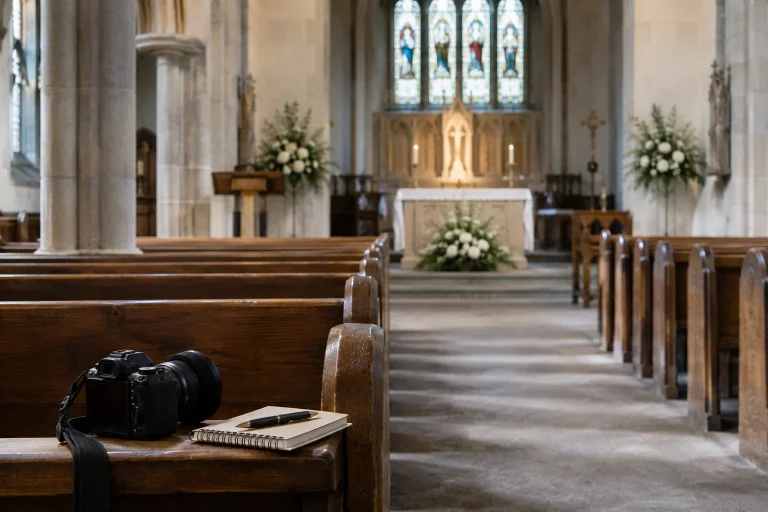
Sometimes. The minister and church need to approve the arrangements, and there may be rules about camera positions, recording, privacy and music licensing. Ask before booking an external streaming team.
Can you use Zoom or YouTube to stream a funeral?
It may be technically possible if the venue and family agree, but platform settings, access controls and music permissions need careful checking. An unlisted or shared link is not a guarantee of confidentiality. A dedicated funeral webcast is often simpler when the venue already provides one.
Is a funeral livestream private?
Not automatically. A password-protected webcast with carefully shared credentials offers more control than a public broadcast, but the family should still agree who can view it and how recordings will be stored and shared.
Can you watch the funeral after it has finished?
Only if a recording or on-demand service has been arranged. The viewing period varies by provider, so check how long the link lasts and whether a permanent copy is available.
Does a funeral livestream show people who are grieving?
It doesn’t have to. A fixed camera can focus on the person leading the service and the front of the chapel rather than filming close-ups of mourners. Discuss the framing and privacy arrangements with the venue beforehand.
How far in advance should you book a funeral webcast?
As soon as the venue and service time are confirmed. Booking cut-offs differ by provider and location, so ask your funeral director rather than assuming that a last-minute booking will be possible.
Is filming a funeral the same as live streaming it?
No. A funeral can be recorded privately without being broadcast online. Streaming allows remote guests to watch as the ceremony happens; a recording can be shared later. The family can choose either, both or neither.
A final thought
There is no single right way to include someone who cannot attend a funeral. For one family, a private chapel webcast is exactly what they need. For another, a recording to watch together at a quieter time may feel more appropriate.
What matters is that the arrangements reflect the family’s wishes, respect the people attending and make it easier for distant loved ones to be part of the goodbye.
If you’d like to discuss sensitive funeral filming or a separate recording in Manchester, you can email Videographer Manchester. We’ll talk through the venue, the ceremony and what’s appropriate before suggesting any filming arrangement.